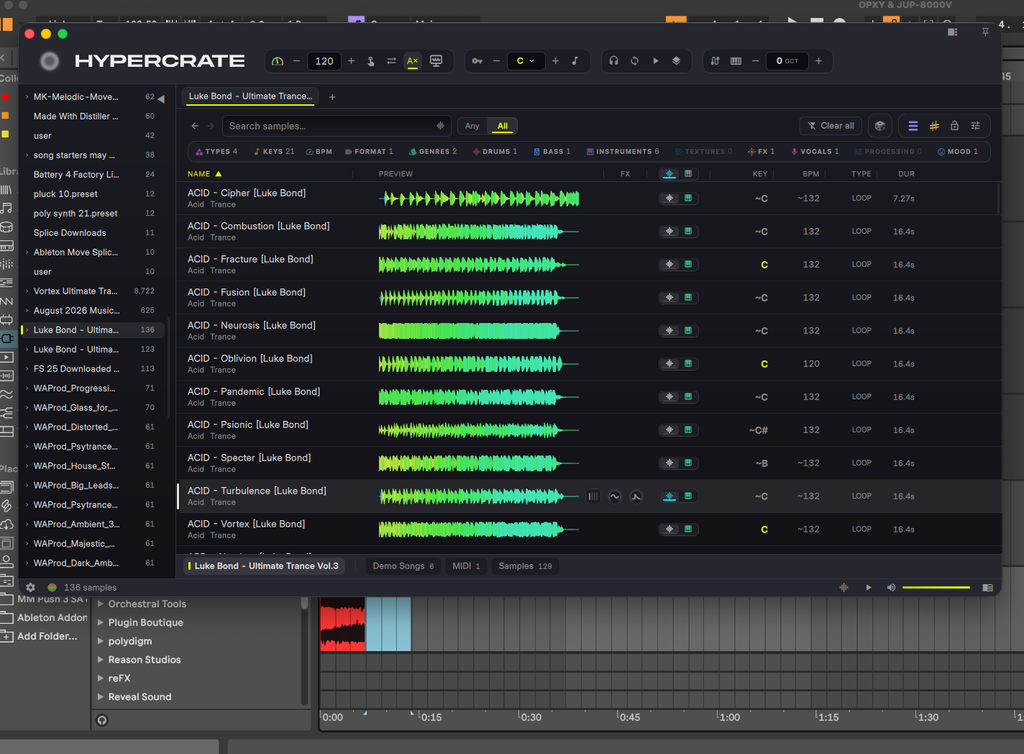
In your key. In your tempo.
Set your root key and BPM, then switch on sync. Keyed samples repitch and loops stretch to fit before you drag them in.

Every sound you own, in key and in time, the moment you click it.
 Created by Luke Bond, 60M+ Spotify streams
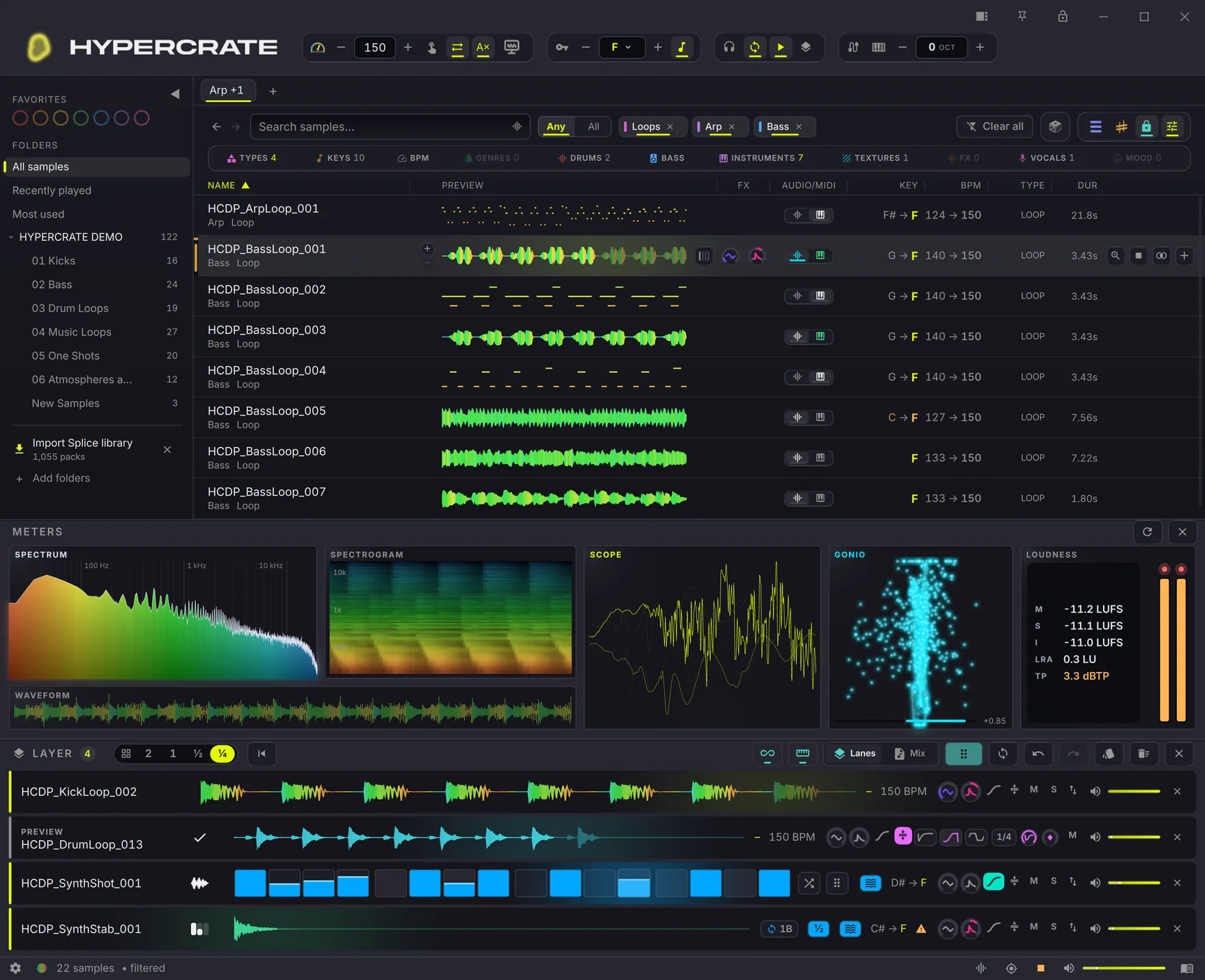
Every loop, one-shot and MIDI file you own in one searchable library. Switch on key and tempo sync to hear how a sound fits your track before you drag it in. Describe a sound, build a Layer Deck mix, or turn a loop into MIDI without leaving the app.
14 days. No restrictions, no card, just your email.
See the magic in action.
Featured vocal sample by KARRA

Nearly 20 years producing. The part that overwhelmed me was never the music. It was finding the sample.
The more packs you buy, the worse it gets. They pile up year after year until the choice itself is paralysing.
Whether I needed a spark to start from, or the extra sounds that fill in the gaps and get a track over that last 10 percent, the search would drag on so long that I would just close the session.
Every sample had to be dragged into my DAW, repitched, stretched to my tempo, then auditioned. Then the same again for the next one. By the time a sound was finally in key and in time, the idea I was chasing had gone.
I had years of packs on a drive I barely opened. Finding the right sound cost more than the sound was worth.
So I built HYPERCRATE for myself. Just a way to hear my own library faster.
Then I put it in front of other producers. Established artists, people finishing their first track, all describing the same problem. Their feedback shaped it into what it is now: everything you own, in key and in time, before you drag it in. Nothing left standing between the idea and the track.
Luke Bond

“Hypercrate is the best app I got in the last 10 years at least, never thought browsing through my hectic library of samples would be that easy, and the way it connects them, never seen before. This is a must for every producer.”
Setup, search, the Layer Deck, audio to MIDI and the DAW bridge, one chapter at a time.

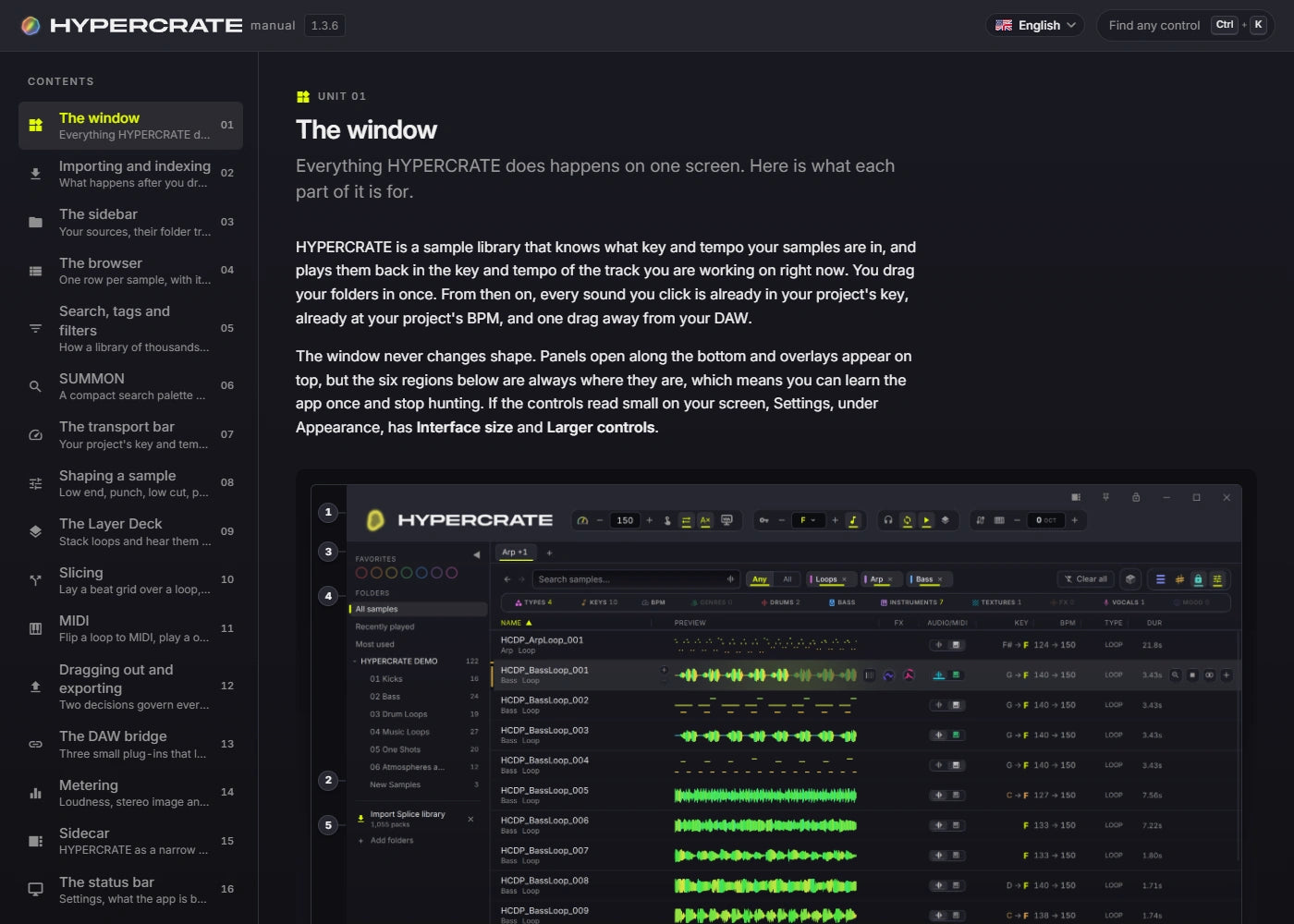
No panels to arrange and no modes to learn. Your folders on the left, everything you own in the middle, and what each sound actually is on the right.
Point at a number to see what that part of the window is for.

The HYPERCRATE window, captured from the running app.
Every picture below is the running app, not a mockup.
Set your root key and BPM, then switch on sync. Keyed samples repitch and loops stretch to fit before you drag them in.
Describe the sound in plain words. Faster local search ranks the sounds in your library, with key, tempo and type constraints when you need them.

Bungee Pro handles time stretching and pitch shifting across drums, vocals and polyphonic music. Hear the result in your session before you commit.
Bungee Pro audio technology © Parabola Research Limited.

Audition a new layer against your stack, then Keep it. Program one-shots on a sixteen-step sequencer, save any stack as a kit, and drag out separate lanes or one stereo mix.

Inspect puts the waveform, low end, punch, low cut, reverse reverb, pump and tremolo in one view. Your source file stays unchanged.

The waveform, the key, the tempo, and how sure HYPERCRATE is about them.

The Meter Deck: scope, goniometer and loudness, live on whatever is playing.

Metal on macOS, Direct3D on Windows. Waveforms and the playhead redraw once per screen refresh, so they stay smooth at 120 or 240 Hz.

Click a sample or step through the list from the keyboard. Auditions respond as you browse, with key and tempo sync ready when you need them.

Use the MIDI your pack shipped, or transcribe a loop locally. Check the notes in the piano roll, hear them through an instrument, then drag them into your DAW.
Included VST3 and AU bridge plug-ins. Analyzer reads your project's key and tempo, Sync returns auditions through it in time, and Notes plays library MIDI on your own instrument.

Audition to a beat grid or backwards, then drag out exactly what you heard.

Find similar takes one sound you like and returns everything close to it in your library.

Filter by type, key, tempo, format and tags. Named bass and guitar subtypes now get their own tags alongside the broader categories.

Audio analysis, Find Similar and Describe run on your computer. Your audio, library and search descriptions stay there.

SUMMON floats over your DAW on a shortcut you choose. Type a name or describe a sound, narrow the search to a pack with @, and audition the results without switching windows. Its key and tempo controls follow the app. With the bridge linked, auditions play through your DAW in time. Drag out the audio or its MIDI take when it fits.


Real app captures, presented as a timed demonstration. Search speed varies with your library, machine and whether startup preparation has finished.
Everything HYPERCRATE ships with. No tiers, no unlocks. One app with all of it.
For Windows, macOS & Linux
One purchase gives you a permanent HYPERCRATE licence. New features are included for your first year, then renewal is optional.
Day one
Pay once and keep using your current version of HYPERCRATE forever. It never locks, expires or asks you to keep paying.
Months 1-12
Your first year includes every feature update and major release at no extra cost, including any major version released in that year.
After month 12
After 12 months, keep using your version at no extra cost or renew for another year of new features at a discounted price of £29. Renewal is always optional.
Security updates and bug fixes stay included for the life of your licence.
Your purchase and every feature-update renewal have a 30-day money-back guarantee.
HYPERCRATE is a native desktop app, not a browser wrapper. It runs happily on a normal studio machine, and it does the heavy lifting once rather than every time you open it.
Import analysis runs on your CPU, with LOW, MED and HIGH settings you can change while it works. Background work adapts to available memory and eases off for playback. Similarity indexing can also use a compatible GPU: Auto measures it against the CPU and switches only when it is faster. While the GPU is working, the speed control offers LOW and FULL. Describe searches run locally on the CPU and use the prepared similarity index.
HYPERCRATE checks for new versions a few times a day and downloads them in the background while you work. Nothing changes until you restart.


Windows, macOS and Linux. Every release is signed, and HYPERCRATE checks the signature before it installs anything.

HYPERCRATE installs with a full interactive manual. It opens in your browser, needs no internet connection, and always documents exactly the version you have installed.
Everything producers ask before they install a new sample manager.
HYPERCRATE comes with access to a private Discord community where producers talk technique, hear about updates first, and shape what gets built next.
A private Discord where producers share work, swap technique and help each other get unstuck.
See what is coming in the next HYPERCRATE version, and follow what is being worked on right now.
Tell Luke what HYPERCRATE should do next. Requests go straight to the person building it.
Your invite arrives on the order confirmation page and in your confirmation email.
HYPERCRATE is in active development. These are the real release notes, pulled live from the same update feed the app itself reads, so this list grows with every version that ships.

HYPERCRATE is available now for Windows, macOS and Linux. Your purchase is covered by a 30-day money-back guarantee.
14 days. No restrictions, no card, just your email.

For Windows, macOS & Linux